All Web Services provided by the Oceans 2.0 API require a token, as indicated by "token=YOUR_TOKEN_HERE" in the API Reference Guide.
Step-by-step guide
- Log in to Oceans 2.0 via https://data.oceannetworks.ca/login
- Click Profile in the upper-right corner of the screen (or visit https://data.oceannetworks.ca/Profile )
- Go to the Web Services API tab:
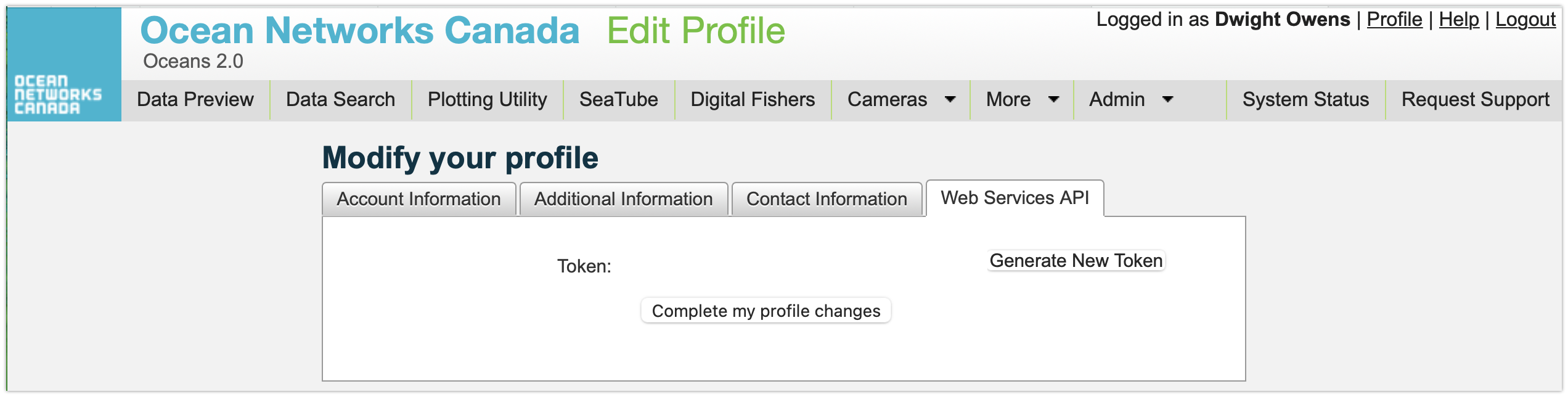
- Click Generate Token.
- Every user should use their own token (don't share your token).
- You can also generate a new token if desired.
- If you publish scientific literature that makes use of ONC data, please remember to Cite Us.
|
Related articles
Related articles appear here based on the labels you select. Click to edit the macro and add or change labels.
