Disclaimer: page under development
Table of Contents
How to:
https://data.oceannetworks.ca/OpenAPI
- Uses the Oceans 3.0 API web services described here: Oceans 3.0 API Home
- See below tree structure:
- Each tree item is expandable: displays parameter fields, some default/examples, links to documentation, response field and URL links
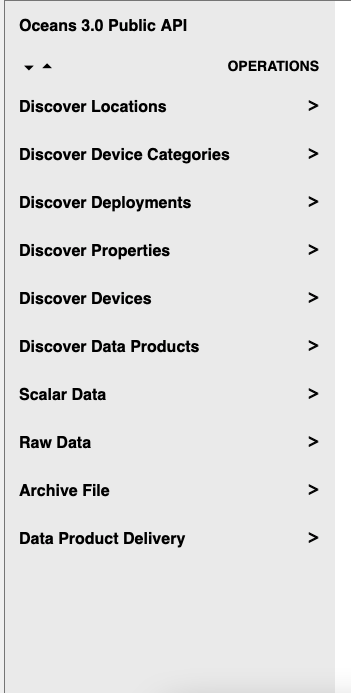
Discovery Services
Locations
Just use the default settings and hit "Try"
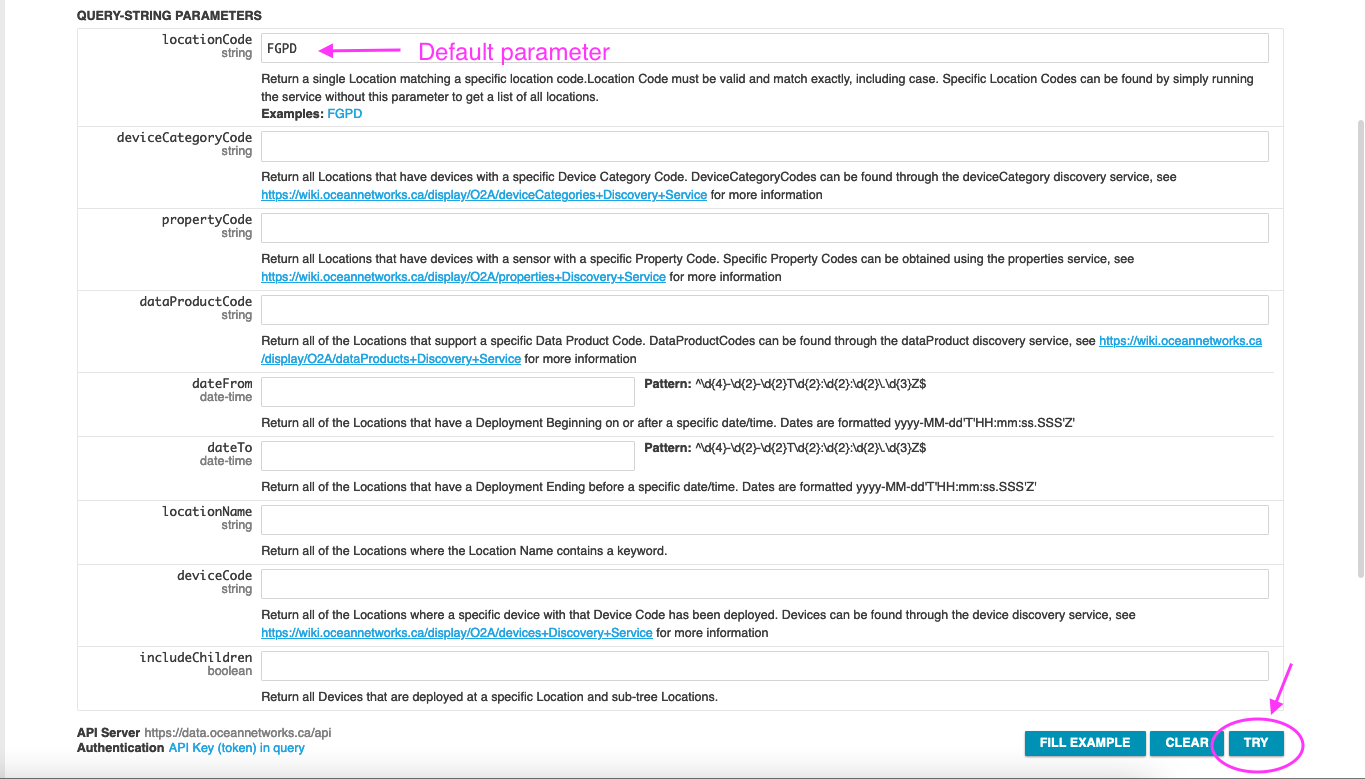
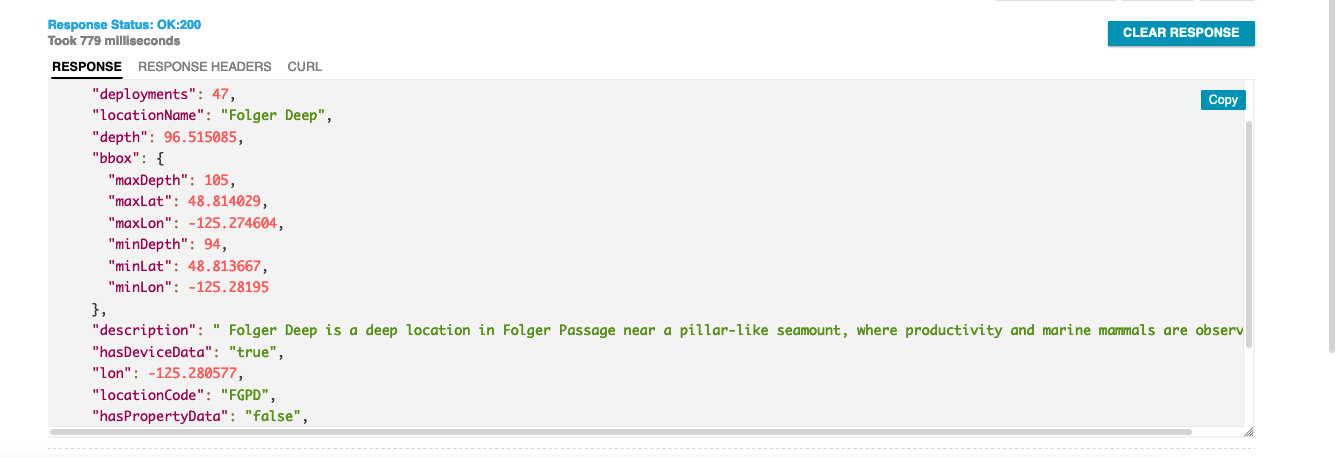
results will be returned as following options:
JSON formatted response to copy and paste
CURL - URL response to use in script or browser to query programmatically
Data Products
Discover all data products for a CTD (Conductivity-Temperature-Depth) device at Barkley Canyon Upper slope (locationCode: NCBC)

The response field can be adjusted (expand/compress with corners; scroll within the response field) to view all data products and their available options.

Data Delivery Services
Archive Files
Most filetypes for a deviceCategory that are found via Oceans3.0 Data Search portal (https://data.oceannetworks.ca/DataSearch) are already archive and can be retrieved with the OpenAPI ArchiveFile services (Oceans 3.0 API Home#archivefiles)
NOTE: Especially hydrophone data can be downloaded this way with the file extensions "flac" or "mp3".
The OpenAPI page provided two method options:
- getListByLocation: https://data.oceannetworks.ca/OpenAPI#get-/archivefile/location
- getListByDevice: https://data.oceannetworks.ca/OpenAPI#get-/archivefile/device
Fill out the fields as per example and the return will be a JSON :
{
  "next": null,
  "queryUrl": "https://data.oceannetworks.ca/api/archivefile/device?deviceCode=BPR-Folger-59&dateFrom=2019-11-23T00%3A00%3A00.000Z&dateTo=2019-11-26T00%3A00%3A00.000Z&fileExtension=txt&rowLimit=80000&page=1&token=token",
  "returnOption": "default",
  "citations": [
    {
      "citation": "Ocean Networks Canada Society. 2019. Barkley Upper Slope Bottom Pressure Recorder Deployed 2019-09-07. Ocean Networks Canada Society. https://doi.org/10.34943/bcb1252a-2713-4a2d-b13a-c0ffe3ed1fbf.",
      "doi": "10.34943/bcb1252a-2713-4a2d-b13a-c0ffe3ed1fbf",
      "landingPageUrl": "https://doi.org/10.34943/bcb1252a-2713-4a2d-b13a-c0ffe3ed1fbf",
      "queryPid": null
    }
  ],
  "files": [
    "BPR-Folger-59_20191123T000000.000Z.txt",
    "BPR-Folger-59_20191124T000000.000Z.txt",
    "BPR-Folger-59_20191125T000000.000Z.txt"
  ],
  "messages": []
}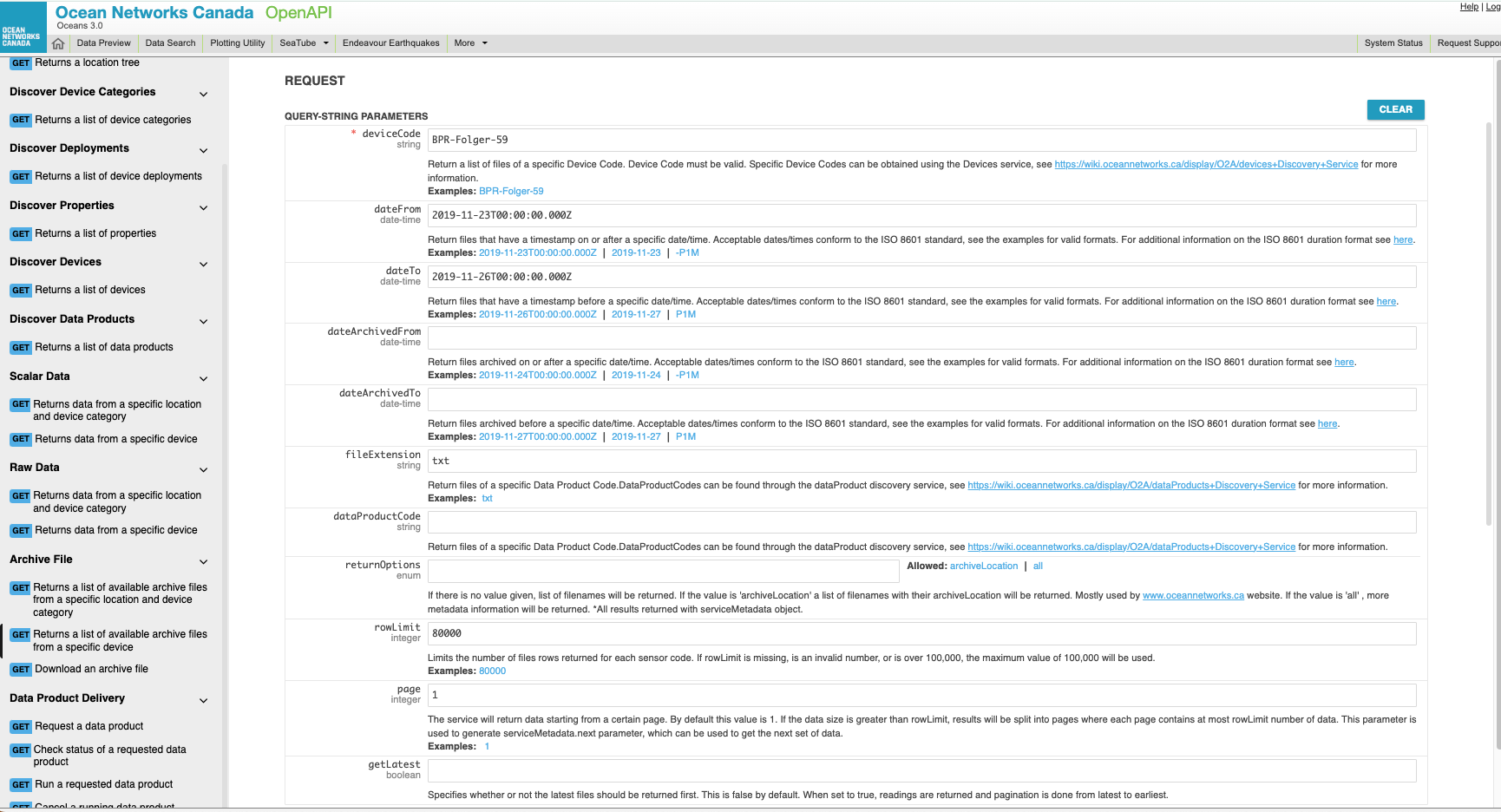
with the field "files":
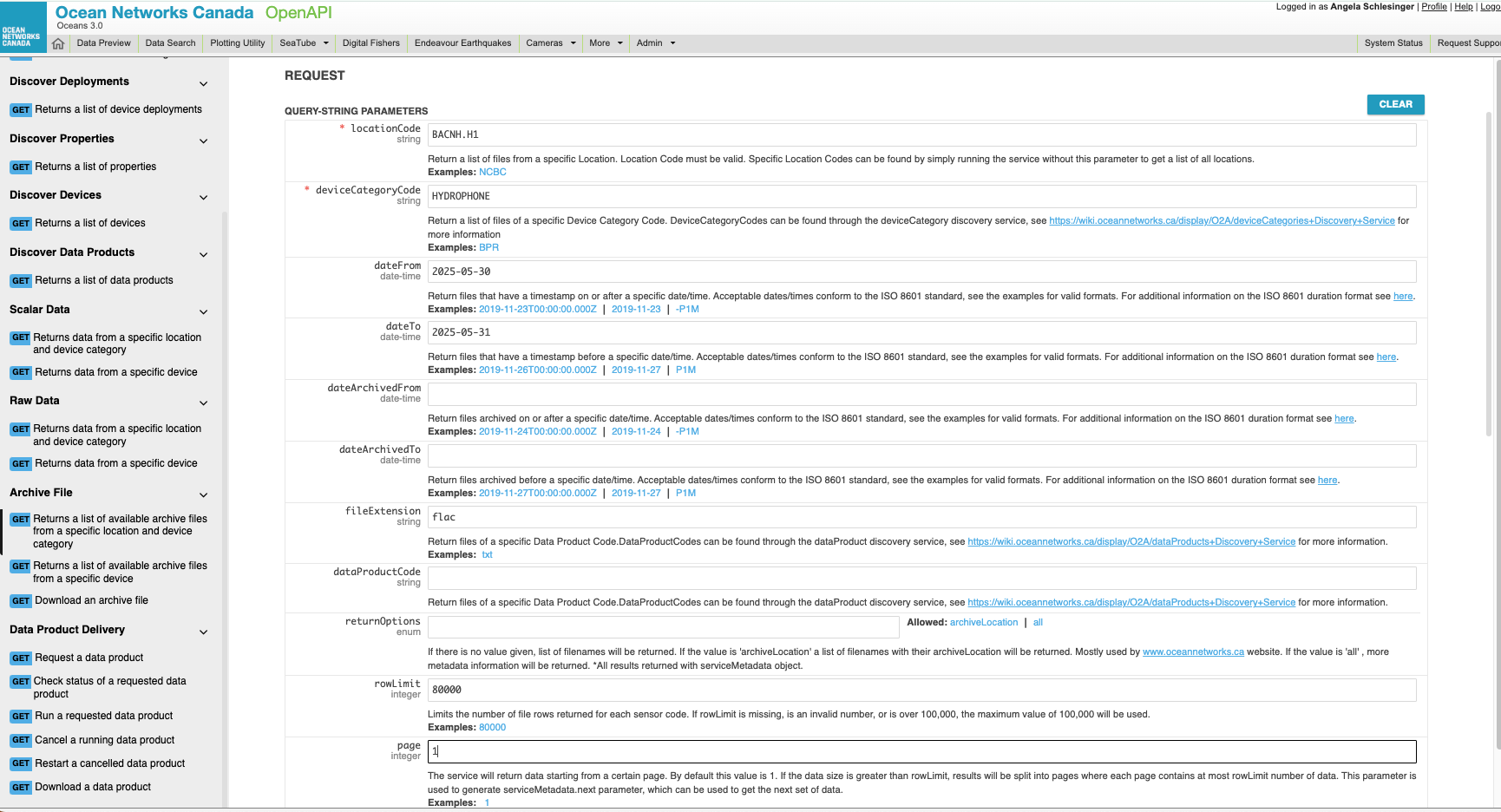
The The files can be downloaded in either the next step: https://data.oceannetworks.ca/OpenAPI#get-/archivefile/download by entering the filenames individually or programmatically with your language of choice.
Data Product Delivery Services
Request data product (LF - logfile; extension: txt) from CTD at NCBC

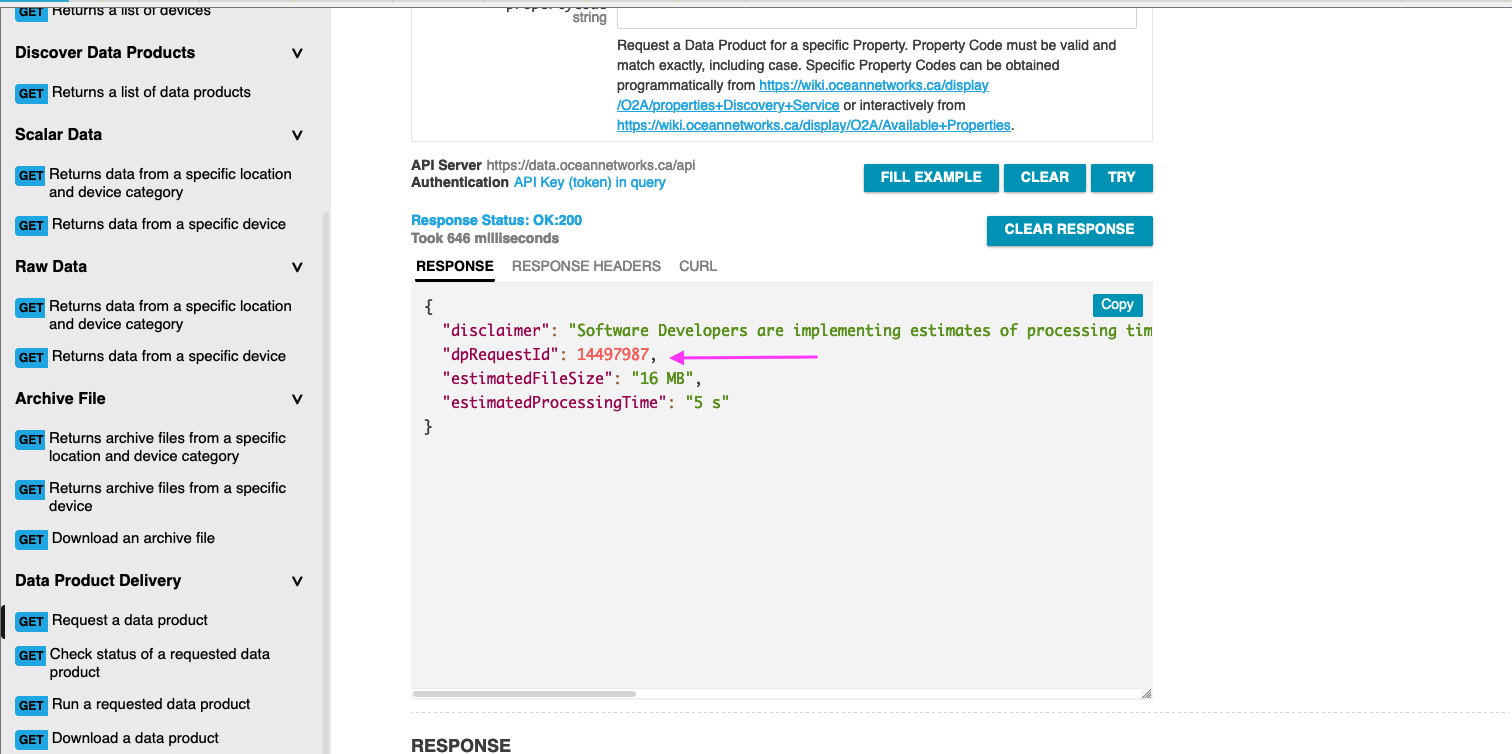
Once all required parameters are filled in (* indicated) data product options can be filtered (see arrow)
The return field indicates the approx. time for the request to run and the file size to be expected from this data request
The dpRequestId is utilized in the next step
Run data product request(LF - logfile; extension: txt) from CTD at NCBC
https://data.oceannetworks.ca/OpenAPI#get-/dataProductDelivery-run
The page prefills the dpRequestId from your previous step.
You can re-run any requests multiple times by filling in the appropriate dpRequestId.
Notes:
the dpRunId is utilized in next step
the status indicates the process state: queued, completed (hit Try to update status)
fileCount: indicates how many files to be downloaded

Download data product
The page prefills the dpRunId from your previous step.
The index indicates the file number to download: 1 to the number of result files. If index is string meta, metadata file will be downloaded.
The data product will be automatically downloaded from your browser. It can take a while for the download to complete – be patient.

How to get from Oceans3.0 Plotting utility to the scalar data
See this video clip for some guidance:https://drive.google.com/drive/folders/1S7-jFsQv3shwDvi9zZ5YdL2clWtYYwlS?usp=drive_link